SNGPL Duplicate Bill Download Without Registration: Complete Guide
Have you lost your Sui gas bill or not received it at home? You can get a duplicate copy online without creating an account or completing a lengthy registration process. The SNGPL Duplicate Bill Download Without Registration method helps consumers check their latest gas bill, view the payable amount, confirm the due date, and save a printable copy.
Sui Northern Gas Pipelines Limited (SNGPL) provides online bill-checking services through its official website. In most cases, you need your consumer number and access to the bill-checking page. You can then view your available bill and print or save it as a PDF for future use.
This guide explains the complete process, including how to find your consumer number, download your bill on a mobile phone, and troubleshoot common problems.
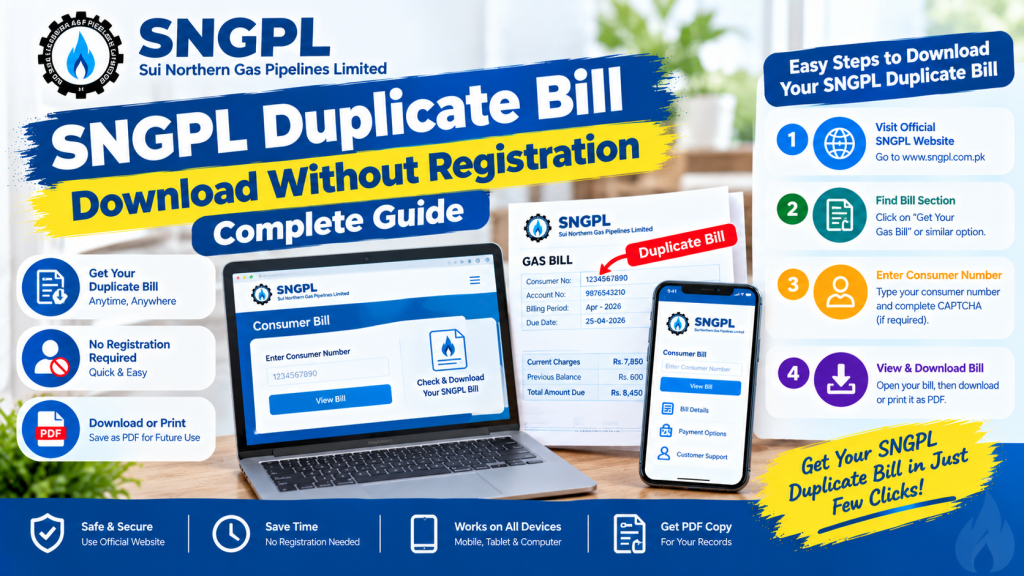
SNGPL Duplicate Bill Download Without Registration – Step-by-Step Guide
You do not generally need to create an online account just to check your available SNGPL bill. Follow these simple steps:
- Open the official SNGPL website: https://www.sngpl.com.pk/
- Find the Get Your Gas Bill or consumer bill option.
- Open the bill-checking page.
- Enter your consumer number in the required field.
- Complete the CAPTCHA or security verification if displayed.
- Click the Submit button to retrieve your bill.
- When the bill appears, review the amount due and payment deadline.
- Use the available print option or your browser’s print menu to save a PDF copy.
The exact page layout may change over time. If you cannot find the bill option, return to the official website and look under its customer services section.
Important: Use the official SNGPL website whenever possible. You should not need to pay a third-party website simply to retrieve your bill.
What Is an SNGPL Duplicate Bill?
An SNGPL duplicate bill is another copy of your gas bill that you can view, download, or print when the original paper bill is missing or unavailable.
It helps you access important billing information, including:
- Consumer details and account identification
- Billing period and meter reading information
- Gas consumption and applicable charges
- Previous balance or outstanding amount, where applicable
- Due date and total payable amount
A duplicate bill is useful when you need to pay before the deadline or keep a digital record of your monthly gas expenses.
What Do You Need to Check Your SNGPL Bill Online?
The main information required is your SNGPL consumer number, which identifies your gas connection in the billing system.
You generally do not need to register an account, create a password, or provide your CNIC simply to retrieve an available bill through the consumer bill page. However, requirements may differ for account changes or other customer services.
Before starting, make sure you have:
- A stable internet connection
- Your consumer number from a previous gas bill
- A browser such as Chrome, Firefox, or Safari
- Access to the CAPTCHA verification, if required
Keep your personal and account details private, especially when using a shared computer or mobile device.
How to Find Your SNGPL Consumer Number
Your consumer number is usually printed near the top section of a previous SNGPL gas bill, close to your name, address, or account details.
If you cannot locate it, try these options:
Check an old bill: Look through your previous paper bills or saved PDF copies.
Search your email: If you previously registered for electronic billing, search your inbox for an SNGPL bill notification.
Check your SMS messages: If you receive gas bill alerts, review older messages for account details.
Contact SNGPL: If you have no previous bill or cannot identify the correct number, contact the company through its official website or call its customer helpline at 1199.
Do not confuse your consumer number with the meter serial number. The bill-checking service requires the correct account identifier.
How to Save Your SNGPL Duplicate Bill as a PDF
After your bill appears on the screen, you can save a digital copy without printing it immediately.
On a Computer
- Open the bill using your browser.
- Click Print if the option is available.
- Alternatively, press Ctrl + P on Windows.
- Select Save as PDF in the print destination settings.
- Choose your preferred folder and click Save.
On an Android Phone
- Open the SNGPL website in Chrome.
- Enter your consumer number and retrieve the bill.
- Open the browser menu and select Print if available.
- Choose Save as PDF.
- Select a folder on your phone and save the file.
On an iPhone
- Open the bill in Safari.
- Tap the Share icon or use the available print option.
- Open the print preview.
- Use the sharing options to save the document to Files as a PDF, where supported.
Menu options can vary depending on your device and browser. If the PDF option is not available, try another browser or a computer.
Common Problems When Downloading an SNGPL Duplicate Bill
Sometimes the online bill service may not display your bill immediately. Here are common issues and possible solutions.
Consumer Number Is Incorrect
Check the digits against an old bill. Remove spaces or dashes if the form requires digits only, and make sure you have entered the consumer number rather than the meter number.
CAPTCHA Verification Fails
Enter the displayed characters carefully. If the image is unclear, refresh it and try again. Complete the verification before submitting the form.
Bill Is Not Available
Your latest bill may not yet have appeared in the online system. Try again later or contact SNGPL if the problem continues.
Website Is Not Opening
Check your internet connection and retry after a short interval. You can also try a different browser or access the website during a less busy period.
You Have Lost Your Previous Bill
If you do not know your consumer number, contact SNGPL customer support or visit an authorized customer service centre for assistance. You may need to provide account or address details to identify the connection.
Can You Pay Your SNGPL Bill Using a Duplicate Copy?
Yes, you can use the available bill details to make a payment through a supported payment channel. Options may include participating banks, mobile banking applications, ATMs, and mobile wallets that support SNGPL bill payments.
Before paying, verify the consumer information, amount due, and payment deadline. Follow the payment provider’s instructions and keep the transaction receipt for your records.
Downloading a duplicate bill and paying it are separate steps. Always confirm that your payment has been processed successfully.
Frequently Asked Questions
Can I download an SNGPL duplicate bill without registration?
Yes. The consumer bill service generally allows you to retrieve an available bill using your consumer number without creating a separate account.
Is the SNGPL duplicate bill free?
Viewing and printing your available bill through the official online service is generally free. Avoid websites that demand unnecessary fees to retrieve the bill.
Can I download my SNGPL bill on my mobile phone?
Yes. You can use a mobile browser to open the official website, check your bill, and save or print it if the required options are available.
Can I check my SNGPL bill without a consumer number?
You generally need the correct consumer number to use the online bill-checking service. If you have lost it, check an old bill or contact SNGPL for help.
What should I do if my bill amount looks incorrect?
Compare the meter reading, billing period, consumption, and previous balance with your records. If you identify a discrepancy, contact SNGPL through its official complaint channels.
Conclusion
The SNGPL Duplicate Bill Download Without Registration process is a convenient way to retrieve your available gas bill without creating a separate online account. Visit the official SNGPL website, enter your consumer number, complete any required verification, and open your bill. You can then save it as a PDF or print a copy for payment and recordkeeping.
Keep your consumer number safely stored and check your bill before the due date each month. If the bill does not appear or the details seem incorrect, contact SNGPL through its official customer service channels for assistance.