SNGPL Online Application 2026 – Requirements and Application Process
Applying for a new domestic gas connection in Pakistan requires accurate information and the correct documents. This guide explains the SNGPL Online Application 2026 process, eligibility requirements, and application status checks. It also explains how a new connection may affect your future SNGPL Bill.
Sui Northern Gas Pipelines Limited (SNGPL) provides an online application facility for domestic RLNG gas connections. Applicants should check the latest official instructions before applying because eligibility, charges, and processing requirements may change.
What Is SNGPL Online Application 2026?
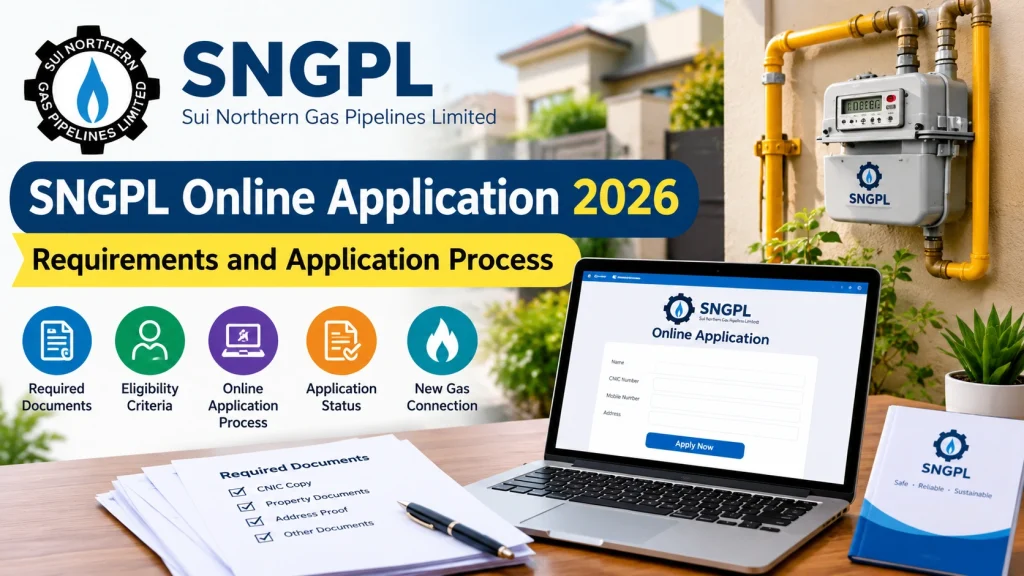
The SNGPL online application system allows eligible applicants to submit details for a new domestic RLNG gas connection without initially visiting a customer service office. Applicants provide personal information, property details, contact information, and supporting documents.
According to the official website, the online domestic application facility is for RLNG connections, and the premises must fall within SNGPL’s existing gas distribution network.
Official application portal: https://www.sngpl.com.pk/onlineapp/pages/index.jsp
Requirements for SNGPL Online Application 2026
Before starting your application, prepare the following information and documents.
- Valid CNIC: Provide your Computerized National Identity Card details.
- Applicant information: Enter your complete name and father’s or husband’s name exactly as shown on your CNIC.
- Mobile number: Provide a valid number for communication and application updates.
- Property ownership documents: Upload clear copies or scans of the relevant documents.
- Complete property address: Include the house number, street, locality, city, and a nearby landmark.
- Nearest consumer number: Provide the requested information about a nearby gas consumer, where applicable.
- Connection requirements: Specify whether gas is required for cooking, water heating, space heating, or the listed combination.
Make sure every mandatory field is completed. Unclear documents, incorrect details, or incomplete information may lead to rejection.
How to Apply Online for an SNGPL Gas Connection
Follow these steps to submit your application.
Step 1: Visit the Official Website
Open the official SNGPL online application portal. Confirm that you are using the genuine company website before entering personal information.
Step 2: Select the Application Type
Choose the applicable domestic RLNG connection option and review the conditions carefully. Do not assume that a conventional system-gas connection is available through this facility.
Step 3: Enter Your Personal Details
Provide your name, CNIC number, CNIC issue date, mobile number, and other requested contact details. Match your information with your official documents.
Step 4: Provide Your Property Address
Enter the complete address of the premises where the connection is required. Include a recognizable landmark if necessary. Your application may not qualify if the location falls outside the eligible network or within a restricted locality.
Step 5: Upload Required Documents
Upload readable copies of your CNIC and property ownership documents. If a document contains multiple pages, combine them into a clear PDF when required. Follow the portal’s current file-size and format instructions.
Step 6: Review and Submit
Check every field before submitting the application. Confirm that the information is correct and complete the required declarations and verification steps.
Step 7: Save Your Reference Number
Keep the application reference number after submission. It can help you check the status of your request and respond to subsequent instructions from SNGPL.
How to Check Your Application Status
Applicants can use the official online application portal to check their application status using the reference number, where the facility is available.
Visit https://www.sngpl.com.pk/onlineapp/pages/index.jsp and follow the instructions provided on the page.
Remember that submitting an application does not automatically guarantee approval. SNGPL may verify the CNIC, property documents, address, network availability, and other applicable requirements before acknowledging or processing the request.
After your new connection is activated, keep your consumer reference details safe so you can access your SNGPL Bill online and review your monthly gas charges.
SNGPL Connection Charges and Processing
Connection costs and processing arrangements depend on the applicable policy and the requirements of the property. The company may issue a demand notice or payment instructions after the relevant checks.
Do not rely on old fee figures without confirming them through the official website or a customer service centre. Also, distinguish between an application submission fee, refundable security, service-line charges, and any optional fast-track charges.
After the connection becomes active, customers should review their SNGPL Bill for the billing period, gas consumption, applicable tariff, taxes, and payment due date. RLNG connections may have different tariff arrangements from conventional domestic system-gas connections.
Common Mistakes to Avoid
Avoid these mistakes when applying:
- Entering a CNIC name or number incorrectly.
- Uploading blurry or incomplete property documents.
- Providing an incomplete address without a useful landmark.
- Applying for premises that are not covered by the existing gas network.
- Ignoring declarations about RLNG tariffs and connection conditions.
- Losing the application reference number.
- Paying unofficial agents instead of following verified company instructions.
Careful preparation can help reduce avoidable delays, although approval and processing times remain subject to the company’s procedures.
Tips for New SNGPL Applicants
Before applying, make sure your property details and identity documents are accurate. Keep a copy of your application reference number for future updates. Once the connection is approved, follow the company’s instructions for installation and payment. You should also check your SNGPL Bill regularly to monitor gas usage, understand monthly charges, and pay before the due date. Always use the official SNGPL website for reliable information about application requirements and connection policies.
Conclusion
The SNGPL Online Application 2026 process helps eligible households apply for a new domestic RLNG gas connection through the official website. Prepare your CNIC, property documents, contact details, and complete address before starting. Submit accurate information, save your reference number, and follow official updates throughout the process.
Once your connection is approved and activated, check each SNGPL Bill carefully to understand your consumption, applicable charges, and payment deadline. Always confirm the latest requirements and fees directly with SNGPL before making decisions.
Regularly checking your SNGPL Bill can help you track gas consumption, confirm payment deadlines, and identify unexpected charges early.